Directions on setting up elrepo and the general info about kmod-nvidia
https://elrepo.org/tiki/kmod-nvidia
Answer to kernel dependency error issues: https://serverfault.com/questions/870211/yum-install-kmod-nvidia-kernel-issue
Basically just select the correct kmod-nvidia package for the version of centos that you are installing it on.
Thursday, September 12, 2019

Wednesday, May 29, 2019
Solution for trouble installing Windows 10 build 1903 "Windows could not configure one or more system components..."
A few days ago 1903 became available for my machine. When I tried to install the update using windows update it gave me the following error dialog in the middle of the install:
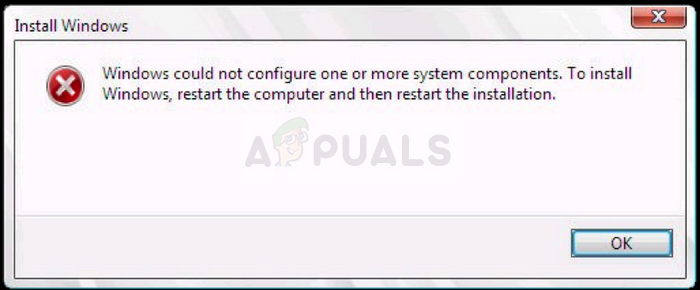
After trying multiple different solutions the one that finally worked was this one:
Here are the important instructions:
I was able to rename the inetsrv folder to inetsrv.old in Windows by:
1. Taking ownership of the folder
2. Stopping the Application Host Helper Service
I then took ownership of the WinSxS folder in order to move the *windows-iis*.* folders to a backup folder on another drive.
With these out of the way, I then used the Windows 10 Update Assistant (rather than the ISO I had created), and updated successfully.
When the updater reached 52% - where it would normally create the error message - it instead went back to 46% for a moment, then jumped back to 54% and continued progressing from there. I'm guessing this is where it needed to rebuild the files I had removed.
Once the update was complete, I deleted the C:\Windows\System32\inetsrv.old folder.
Wednesday, March 13, 2019
Send Window to Back
Windows shortcut to sending window to back is:
ALT + ESC.
Nice alternative to minimizing a window and helps if a maximized window is accidentally clicked on.
Wednesday, January 23, 2019
Visual Studio Code Set Environment Variable for Task
I was unable to find a solution for setting an environment variable for a specific task but setting one for all tasks can be done like this:
..."options": { "env": { "VARIABLE": "value" } }, "tasks": [
...
That would set the environment variable VARIABLE to "value" for all tasks.
Friday, July 27, 2018
Restoring Missing Icons in Visual Studio 2017
If you find that the icons in Visual Studio 2017 are missing, a potential fix is to delete a specific folder that contains icon cache, and then restart Visual Studio 2017. Here's how to do it:
1. Close Visual Studio 2017 if it's currently running.
2. Navigate to the following folder path in File Explorer:
%LocalAppData%\Microsoft\VisualStudio\15.0_[UniqueID]\ImageLibrary\
Replace [UniqueID] with your unique user ID.
3. Delete the `ImageLibrary` folder.
4. Restart Visual Studio 2017.
Upon restarting, Visual Studio 2017 should regenerate the missing icons, restoring them in the interface.
Wednesday, April 11, 2018
Converting float to int using bits
Sometimes it makes sense to place an integer into an array of floats but not want to represent it a float.
GLSL has a function for converting the bits that represent a float to an integer and vise versa:
https://www.khronos.org/registry/OpenGL-Refpages/gl4/html/floatBitsToInt.xhtml
GLSL has a function for converting the bits that represent a float to an integer and vise versa:
https://www.khronos.org/registry/OpenGL-Refpages/gl4/html/floatBitsToInt.xhtml
Monday, April 9, 2018
Fixing MFC compile errors in Visual Studio 2013
If you get the error:
Error 1 error MSB8031: Building an MFC project for a non-Unicode character set is deprecated. You must change the project property to Unicode or download an additional library. See http://go.microsoft.com/fwlink/p/?LinkId=286820 for more information. C:\Program Files (x86)\MSBuild\Microsoft.Cpp\v4.0\V120\Microsoft.CppBuild.targets 376
It can be fixed by installing the Multibyte MFC Library for Visual Studio 2013 which can be found here.
Subscribe to:
Posts (Atom)